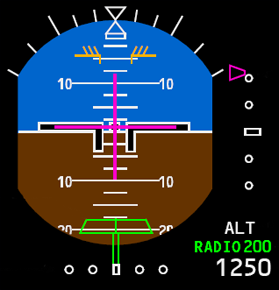
Minimums (MINS) Reference Selector
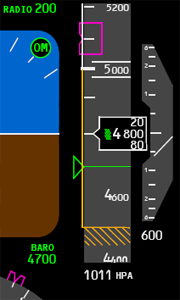
Selected Radio Altitude Approach Minimums
Changes back to green:
- Displays selected minimums as set on the EFIS control panel.
- Blank when an altitude less than 0 feet is selected.
- “RADIO” legend and readout turn amber and flash for 3 seconds when
descending through the selected minimum altitude; the legend and readout
become steady amber after 3 seconds.
Changes back to green:
- When passing the selected minimum altitude plus 75 feet during go–around.
- At touchdown.
- After pressing the RST switch on the EFIS control panel.